Saturday, January 10, 2026
How to Create a Content Calendar That Actually Works
Learn how to create a content calendar that streamlines your workflow and boosts results. This guide covers strategy, tools, and execution with real examples.

Trying to fill a content calendar without a strategy is like trying to build a house without a blueprint. Sure, you can nail some boards together, but you’ll end up with something shaky that doesn’t serve its purpose. Many people make the mistake of jumping straight into scheduling posts, but a successful content calendar is the result of a solid strategy, not the starting point.
Without that foundation, you’re just throwing content at the wall and hoping something sticks. A strategic approach ensures every single post, video, or article has a clear purpose and pushes you closer to your real business goals.
Build Your Content Strategy First
Before you even think about what to post next Tuesday, you need to ask the big questions. What are we actually trying to achieve here? Who are we talking to? And what topics will consistently grab their attention? Answering these questions first builds the guardrails that keep your content focused, consistent, and genuinely effective.
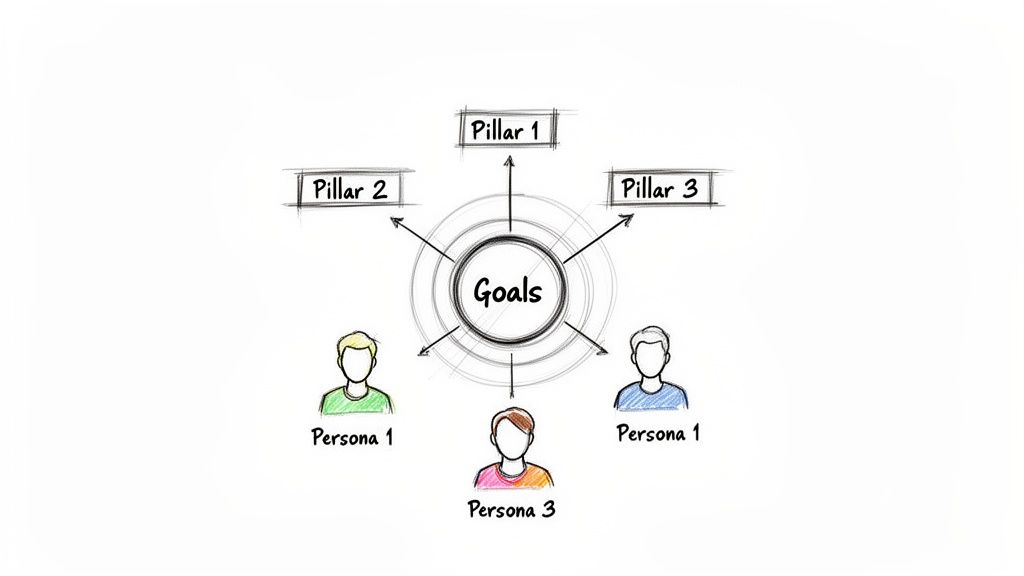
This is the foundational flow you should follow before ever opening a calendar template.

As you can see, your goals inform your audience, which in turn defines the content pillars you'll build everything around. It's a simple, powerful cascade.
Define Your Content Goals
Every piece of content needs a job. Your goals give your content direction and, just as importantly, a way to measure whether it's actually working. Are you trying to generate more qualified leads? Build brand awareness in a new market? Or maybe establish your founder as a go-to expert in the industry?
Your content goals must tie directly back to your bigger business objectives. For example, if the company's goal is to increase Q3 sales by 15%, a matching content goal might be to generate 500 marketing-qualified leads through a new webinar series. See how one feeds the other?
Some common content goals include:
Increasing brand awareness: Measured by things like reach, impressions, and follower growth.
Driving website traffic: Tracked with clicks, sessions, and referral sources.
Generating leads: Monitored via form submissions, ebook downloads, and demo requests.
Improving audience engagement: Watched through likes, comments, shares, and time on page.
Boosting conversions and sales: Measured by attributing sales directly back to your content.
Key Takeaway: Vague goals like "get more engagement" are useless. Get specific. A goal like "increase Instagram Story replies by 25% this quarter" gives you a clear target to build your content around.
Understand Your Target Audience
Once you know what you want to achieve, you have to get crystal clear on who you're trying to reach. This is where creating detailed audience personas becomes so important. These aren't just dry demographic summaries; they are vivid, semi-fictional profiles of your ideal customers, built from market research and real data.
A truly useful persona goes way beyond age and location. You need to dig into their motivations, their biggest pain points, and their day-to-day challenges. Where do they hang out online? What kind of content do they trust? What questions are they Googling at 2 a.m. that you can answer?
For instance, a persona for a B2B software company might be "Startup Sarah," a 32-year-old marketing manager who is totally overwhelmed by data and is desperately looking for tools to make reporting easier. Knowing this means you can create content that speaks directly to her specific struggles. That’s how you create a connection.
Establish Your Core Content Pillars
Content pillars are the 3-5 big-picture themes or topics your brand will own. They are the foundation of your entire content plan, growing directly from the sweet spot where your audience's interests meet your business's expertise. These pillars keep your content from wandering off-topic and help you build real authority in your space.
Let’s say you’re a fitness app. Your content pillars might be:
High-Intensity Workouts: Tutorials, form tips, and workout challenges.
Nutrition & Meal Prep: Healthy recipes, grocery lists, and practical diet advice.
Mindfulness & Recovery: Content on meditation, stretching, and the importance of rest days.
These pillars become the buckets you’ll fill your content calendar with. When you're brainstorming, instead of a blank page, you can ask, "What's a great idea for our 'Nutrition & Meal Prep' pillar this week?" This system kills the "random acts of content" problem and ensures you have a balanced, strategic mix.
For more on this, our guide on how to plan social media content can help you fine-tune these pillars specifically for your social channels.
Choose Your Tools and Set Up Your Framework
Okay, you've done the heavy lifting on strategy. You know your goals, who you’re talking to, and the content pillars that will guide your creative. Now it's time to build the actual home for your content plan.
The right tool isn't the fanciest or most expensive one. It's about finding a framework that fits your team's workflow and budget right now—but can also grow with you.
This is the point where all that strategic thinking becomes a practical, day-to-day tool. Let’s get into how to pick your platform and build a master template that keeps everyone on the same page.
Selecting the Right Content Calendar Tool
The tool you pick will shape your entire content process. There’s a whole spectrum of options out there, each with its own pros and cons. Don't feel pressured to jump into a complicated system if a simple spreadsheet gets the job done.
Here’s how I see the main options:
Spreadsheets (Google Sheets, Excel): This is the classic, no-cost starting point. For solo creators or tiny teams, a well-organized spreadsheet is surprisingly powerful. It’s endlessly customizable, easy to access, and forces you to really think about what information matters. The big trade-off? It’s completely manual. No auto-posting, no slick approval workflows.
Project Management Tools (Trello, Asana, Notion): These tools are a solid step up, introducing visual workflows like Kanban boards. You can create a “card” for each piece of content and drag it through stages like "Idea," "Drafting," "In Review," and "Scheduled." They're fantastic for managing the production side of things but usually don't have direct publishing or deep analytics features.
Dedicated Content Calendar Platforms (Beplan): Purpose-built tools like Beplan are designed from the ground up for content teams and social media managers. They roll a visual calendar, scheduling, platform-specific customization, asset libraries, and approval queues into one place. This all-in-one approach is a lifesaver for teams juggling multiple channels or clients.
My Advice: Start simple. If you're just getting started, a spreadsheet is your best friend. Once you start feeling the growing pains—like manually copy-pasting posts at 9 PM or losing track of approvals in email—you’ll know exactly what features you need from a more advanced tool.
Building Your Master Calendar Template
No matter which tool you land on, the DNA of a great content calendar is the same. Your template should be the single source of truth, making sure no detail gets missed. Every single column you add should answer a critical question about that piece of content.
Think of it as creating the ultimate pre-flight checklist for every post. You're not just plugging in a date; you're mapping out the entire lifecycle of your content, from its strategic purpose to how you'll measure its success.
If you want to get granular on social media specifics, our guide on how to use a content calendar template for smooth social media planning has some great layouts you can steal.
Essential Fields for Your Content Calendar Template
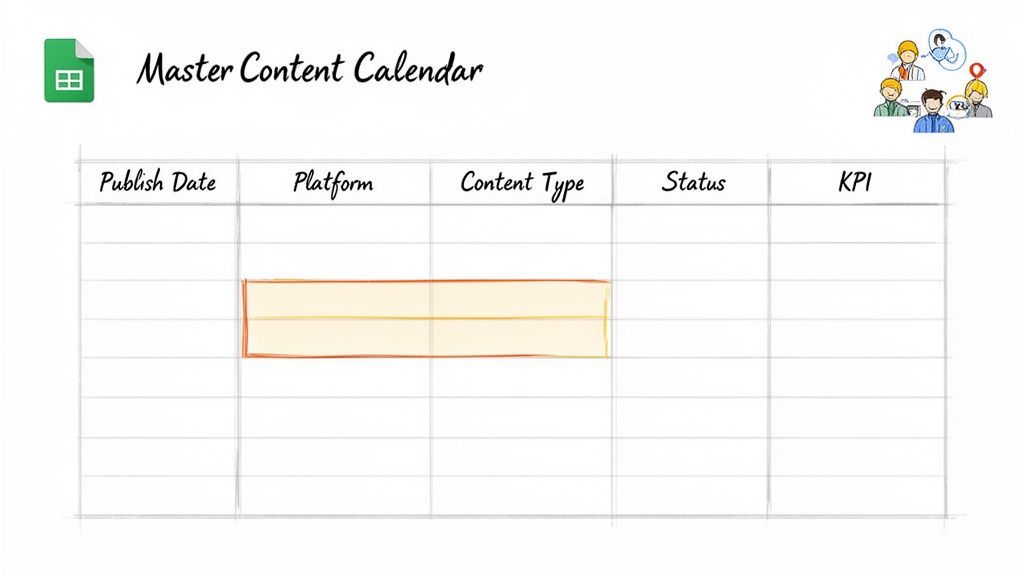
To make sure your calendar is truly comprehensive, you need a few non-negotiable fields. These data points provide the clarity your team needs to manage a busy schedule without anything falling through the cracks. Here's a breakdown of the key columns to include.
Field Name | Description | Example |
|---|---|---|
Publish Date | The exact day the content is scheduled to go live. | 10/28/2024 |
Publish Time | The specific time for publication, including the time zone. | 9:00 AM EST |
Content Topic/Title | A clear, descriptive title or headline for the piece. | How to Batch Create a Week of Reels |
Content Pillar | The strategic theme this content supports. | Pillar: Social Media Productivity |
Platform(s) | The channel(s) where this content will be published. | Instagram, TikTok, YouTube Shorts |
Content Type/Format | The format of the content (e.g., video, carousel, blog post). | Vertical Video (Reel) |
Status | The current stage in the production workflow. | In Review |
Owner/Assignee | The team member responsible for the content piece. | Sarah K. |
CTA (Call to Action) | The specific action you want the audience to take. | "Save this for later!" |
Link(s) | Any relevant URLs, like the link in bio or to a blog post. | [link to blog post] |
Key Performance Metric | The primary metric used to measure this post's success. | Shares |
This structured approach transforms your calendar from a simple schedule into a powerful strategic tool. By tracking these details, you ensure every piece of content has a clear purpose, owner, and path to publication, making your entire operation run smoother.
Generate a Backlog of High-Impact Content Ideas
Your content calendar framework is built, but it’s still just an empty house. Now for the fun part: filling it with ideas that will genuinely connect with your audience. An empty calendar is a source of constant stress, forcing you to create last-minute, uninspired content. The goal here is to build a repeatable system for ideation so you always have a well-stocked library of ideas ready to go.
This isn’t about waiting for a lightning bolt of inspiration. It’s about creating a process that consistently generates killer topics, turning chaotic brainstorming into a predictable and effective workflow.
Mine Your Customer Questions and Feedback
Your best content ideas are often hiding in plain sight. They live in the questions, complaints, and feedback you get from your audience every single day. These are the real-world problems your customers are trying to solve, making them an absolute goldmine for relevant content.
Start digging into these sources:
Customer Support Tickets: What are the most common issues people write in about? Each one is a potential "how-to" article or video tutorial.
Sales Team Conversations: What questions do prospects ask during demos? What objections come up? This feedback is perfect for creating content that addresses specific concerns and helps close deals.
Social Media Comments and DMs: Keep an eye on your comments for recurring questions. If one person asks, it's a safe bet that a hundred others are wondering the same thing.
Online Communities: Look at Reddit, Quora, or industry-specific forums. What are people in your niche struggling with? Answering these public questions establishes your expertise.
For instance, if you run a SaaS company and your support team constantly fields questions about integrating with another popular tool, that’s your cue. Create the definitive blog post, a step-by-step video, and a series of social media tips all centered on that exact integration process.
Analyze Your Competitors' Content
Understanding what’s working for your competitors is a smart shortcut to finding proven content formats and topics. The goal isn’t to copy them, but to spot gaps and opportunities you can capitalize on.
Use SEO tools to see which of their blog posts get the most organic traffic or which keywords they rank for that you don't. On social media, look at their most shared or commented-on posts from the last few months. Ask yourself why that specific piece of content resonated. Was it the format, the emotional angle, or the topic itself?
Maybe you notice a competitor’s "beginner's guide" is performing well but it’s outdated or lacks depth. That's your opening to create a more comprehensive, up-to-date version that becomes the new go-to resource.
Leverage AI for Brainstorming and Expansion
Artificial intelligence has become an incredibly powerful assistant in the content creation process. While it can’t replace human strategy, it’s exceptionally good at generating ideas, finding new angles, and smashing through creative blocks.
Recent data shows that 89% of marketers now use generative AI in their workflow, with 62% using it specifically for topic brainstorming. This makes sense; teams using AI publish 42% more content on average while saving creators hours each week. You can find more insights on AI's role in the full research on content calendar creation.
You can use AI tools to:
Generate Topic Clusters: Feed it one of your core content pillars and ask for a list of 20 related blog post ideas.
Find New Angles: Give it a common topic in your industry and ask for five unconventional or contrarian takes on it.
Create Outlines: Once you have an idea, ask the AI to generate a detailed outline. This can be a fantastic starting point for your writer.
Pro Tip: The quality of your AI output depends entirely on the quality of your input. Be specific. Instead of asking for "social media ideas," ask for "10 Instagram Reel ideas for a B2B software company targeting overwhelmed marketing managers."
Organize Ideas in an Accessible Backlog
A brainstorm is useless if the ideas disappear into a forgotten document. You need a central, accessible place to store and organize them—an idea backlog.
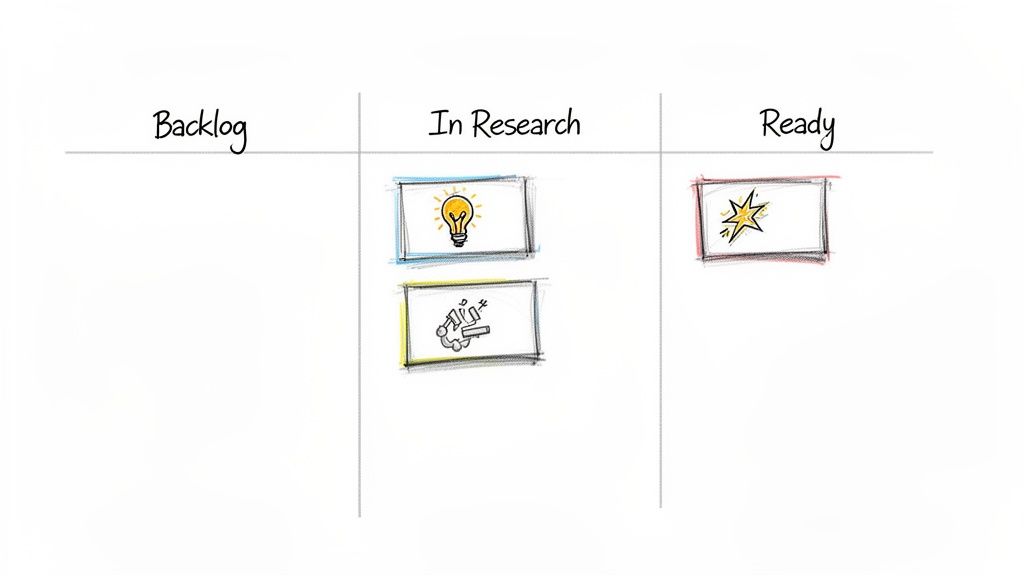
A simple Kanban board (using a tool like Trello, Asana, or even Beplan) is perfect for this. Set up columns like:
Idea Dump: A place for raw, unvetted ideas.
Ready for Research: Ideas that seem promising and need validation.
Ready for Creation: Fully fleshed-out ideas with a clear angle, ready for a writer or designer to pick up.
This visual system ensures you never lose a good idea and always have a pipeline of content ready to be developed. It transforms your ideation from a one-off event into a continuous, organized process that feeds your content calendar indefinitely.
Turn Your Calendar Into a Content Machine
Having a backlog of awesome ideas is one thing, but turning them into actual results? That’s all in the execution. This is where you build a smart scheduling workflow that gets your content in front of the right people at the right time—without you having to manually hit "publish" all day.
Let's move your content calendar from a static document into a dynamic engine for your brand. The goal isn't just to post stuff; it's to do it with intention and ruthless efficiency. That means ditching the guesswork and building a system that maximizes your reach and gives you back your most valuable asset: time.
Find Your Golden Hour with Data
"When's the best time to post?" It’s the million-dollar question. The internet is flooded with generic advice, but the only answer that truly matters is hiding in your own audience data. Posting when your followers are most active can give your content a massive initial boost in visibility and engagement.
Forget the industry-wide studies for a second. Most social platforms have built-in analytics that show you exactly when your audience is online. Dive into the "Audience" or "Insights" tabs on Instagram and Facebook, and you'll find a detailed breakdown by day and hour.
Here’s a quick way to pinpoint your best times:
Check Your Native Analytics: Go into each of your social channels and find the peak activity hours for your followers. Note them down.
Run a Few Small Tests: If your data points to a peak between 6 PM and 9 PM, don't just post at 7 PM every night. Try different slots within that window—maybe 6:15 PM one day, 7:30 PM the next, and 8:45 PM after that—to see which one gets the best initial pop.
Track Everything: Log the performance of these test posts right in your content calendar. After a few weeks, clear patterns will start to emerge, letting you zero in on your brand's unique golden hour.
The best posting time isn't some universal secret; it's a personalized data point. Stop listening to generic advice and start listening to what your own audience is telling you.
Embrace the Magic of Batching
If there's one productivity hack that will absolutely change your life as a content creator, it's batching. Instead of scrambling to create and post something new every single day, you dedicate specific blocks of time to knock out similar tasks all at once. This simple shift helps you stay in a creative flow and avoid the mental drain of constantly switching gears.
A typical batching week might look something like this:
Monday: Brainstorming and writing all the captions for the week.
Tuesday: All things visual—shooting all photos and videos.
Wednesday: Post-production. Designing graphics, editing videos, and getting assets ready.
Thursday: Scheduling everything out in your tool of choice.
Adopting this rhythm not only makes you wildly more efficient but also helps maintain a super consistent brand voice and visual style. It’s a total game-changer.
One case study found a creator who switched to a monthly batching strategy saw their engagement jump by 67%. They only spent an extra two hours per month on content, but their posting consistency shot up from 62% to 94%. It's proof that a structured workflow delivers powerful results.
Use Scheduling Tools to Get Your Life Back
Once your content is batched and ready, scheduling tools are what bring your calendar to life. Manually posting every single update is not just tedious; it's a recipe for burnout and mistakes. Automation lets you "set it and forget it," freeing you up to focus on the fun stuff, like engaging with your community.
Tools like Beplan are built for exactly this. You can upload all your batched content—visuals, captions, the works—and schedule it all to go live at those optimal times you found earlier. This is a lifesaver for maintaining a consistent presence, especially if you have an audience across different time zones.
And no, automation doesn't kill authenticity. A good workflow is flexible. If a huge news story breaks or a viral trend pops up, you can easily pause your scheduled queue and drop in a timely post. The key is to automate the predictable stuff so you have the freedom to be spontaneous when it counts. For a deeper look at setting this up, check out our guide on how to schedule social media posts.
Measure Performance and Refine Your Strategy
Getting your content created and scheduled is a massive win, but the work isn’t over just yet. A content calendar should never be a static, set-it-and-forget-it document. Think of it as a living tool that gets smarter with every post, learning from real-world feedback.
This is where you close the loop. By tracking what’s working (and what’s not), you turn your calendar from a simple schedule into a powerful strategic asset. Without data, you’re just guessing. With it, you let your audience’s own behavior tell you exactly what to do next.
Identify the KPIs That Truly Matter
It’s easy to get caught up in vanity metrics like follower count. They feel good, but they don't really tell you if your content is doing its job. To get a real read on performance, you need to track Key Performance Indicators (KPIs) that connect directly to the goals you set way back at the beginning.
So, what were you trying to achieve? Brand awareness? Lead generation? Community building? Your answer to that question dictates which numbers you should really care about.
For Brand Awareness: Keep your eyes on Reach (how many unique people see your post) and Impressions (the total number of times your post was seen). These metrics tell you how wide your net is being cast.
For Audience Engagement: This is all about Likes, Comments, Shares, and Saves. High engagement rates are a fantastic sign that your content is truly connecting and starting conversations.
For Website Traffic: Here, your Click-Through Rate (CTR) is king. If your posts include links, this number tells you how many people were compelled enough to leave the platform and visit your site.
For Conversions: This is where the rubber meets the road. Track direct business results like Form Submissions, Newsletter Sign-ups, or Demo Requests that came from your social content. This is how you prove ROI.
Don't just collect data—connect it to your goals. A post with 10,000 likes is nice, but a post with 100 clicks that led to 10 qualified leads is what actually moves the needle. Always measure against your original objective.
Conduct Regular Content Audits
A content audit sounds intimidating, but it doesn't have to be a massive, once-a-year project. It's really just a systematic review of what you’ve published to see what's hitting and what's missing. A quick, focused audit every month or quarter is all you need to gather some game-changing insights.
Just open a simple spreadsheet and pull the performance data for everything you’ve published in the last 30 or 90 days. Once you have the numbers, start looking for the story they're telling.
Ask yourself a few key questions:
Which topics got people talking? Look for the posts with the most shares or comments. That's your audience telling you exactly what they find valuable.
What formats won? Did carousels crush single images? Did your short-form videos blow everything else out of the water? The data will have the answer.
Were there any duds? Find the posts that fell completely flat and try to figure out why. Was it the topic? The format? The time of day? Every flop is a lesson.
This process gives you a clear picture of your winners to double down on and your losers to either learn from or cut from the rotation.
Use Insights to Iterate and Improve
This is the most important part: turning all that analysis into action. The insights you gather from your KPIs and content audits need to directly inform the next version of your content calendar.
Let’s say your audit shows that "behind-the-scenes" videos consistently get the highest engagement rates. Great! The immediate action is to schedule more of them. Or maybe you discover that posts on Saturday mornings get almost zero traction. Simple—shift your focus to weekday evenings instead.
This constant cycle of publishing, measuring, and refining is how a good content calendar becomes a great one. You're no longer just filling slots. You’re making data-informed decisions that steadily amplify the impact of every single thing you create.
Your Top Content Calendar Questions, Answered
Even with the best template in hand, you’re bound to have questions once you start putting your content calendar into action. That’s totally normal. Getting these sorted out is what turns a good plan into a smooth, day-to-day workflow.
Let's dive into some of the most common questions I hear from creators and marketing teams.
How Far in Advance Should I Plan My Content?
This is the big one. For most people, planning one full month in advance is the sweet spot. It gives you enough runway to be strategic and batch your content creation without locking you into a plan that's too rigid. You get a clear roadmap for the month, but you still have the flexibility to jump on a trend or breaking news.
Some bigger brands will sketch out major campaigns quarterly to align with their business goals, then get into the nitty-gritty of individual posts on a monthly basis. The real goal here is to find a rhythm that kills the last-minute panic but still leaves room for a little spontaneity.
Is a Content Calendar Different From a Social Media Calendar?
Yep, they are different, even though people often use the terms interchangeably. Think of it this way: a content calendar is your master plan. It’s the bird's-eye view of all your content—blog posts, newsletters, YouTube videos, podcasts, the works.
Your social media calendar is a specialized piece of that bigger puzzle. It’s a detailed schedule that focuses only on what's going out on your social channels.
A truly dialed-in strategy uses a master content calendar to feed and inform the social media calendar. This is how you make sure your message stays consistent everywhere, from a blog post to a TikTok video.
How Do I Squeeze in Spontaneous Content?
A great content calendar should provide structure, not a straitjacket. The secret is to not schedule every single time slot. You have to intentionally leave gaps in your calendar for those timely, in-the-moment posts. This is your playground for reacting to industry news, sharing awesome user-generated content, or hopping on a viral trend.
A good rule of thumb is to follow the 80/20 principle:
Plan 80% of your content: This is your core, strategic stuff that hits your content pillars and moves you toward your goals.
Leave 20% of your schedule open: This is your buffer zone for all things spontaneous and reactive.
This approach keeps your feed feeling authentic and relevant, mixing your polished, planned content with genuine, of-the-moment interactions.
Is a Simple Spreadsheet Good Enough?
Absolutely. For solo creators or small teams just starting out, a well-organized spreadsheet is a fantastic tool. Don't let anyone tell you otherwise. It's flexible, easy to share, and forces you to think about what information is actually important to track. Never underestimate the power of a simple system that works.
As your team or content volume grows, you might find that a dedicated platform gives you a better workflow with features like direct scheduling, asset management, and built-in analytics. But if a spreadsheet is getting the job done, there's no reason to fix what isn't broken. The best tool is always the one you'll actually use consistently.
Ready to see what life is like beyond the spreadsheet? Beplan is a social media scheduler built for creators. It combines a drag-and-drop calendar, powerful AI features, and smart analytics into one clean platform. Streamline your entire process and start creating content that works harder for you. Start planning with Beplan for free today!
Related articles
Our platform is designed to empower businesses of all sizes to work smarter and achieve their goals with confidence.