How To
Thursday, January 8, 2026
How to Schedule Social Media Posts and Reclaim Your Time
Learn how to schedule social media posts with our guide. Master content batching, platform optimization, and analytics to grow your audience.
Figuring out how to schedule social media posts is really about building a sustainable system—one that takes your ideas from a rough concept to a polished, published calendar.
The basic flow is simple: you plan your content ahead of time, create all the visuals and copy in focused blocks, and then use a scheduling tool to handle the publishing automatically. This approach completely changes the game, turning social media management from a daily grind into a strategic, time-saving workflow.
Building Your Social Media Scheduling Workflow
Jumping straight into scheduling without a plan is like trying to build a house without a blueprint. Sure, you might get a few walls up, but the whole thing is likely to be unstable. A solid scheduling workflow isn't just about picking times on a calendar; it's a complete system that ensures consistency, cuts down on stress, and frees you up to do what really matters: creating high-quality, engaging content.
When you get this right, your social media channels become a reliable engine for growth, not just a box you have to check every day.
The whole process can be broken down into five distinct phases. Thinking in phases like this helps organize your efforts and makes the task feel far less overwhelming. Instead of staring at a blank calendar each morning, you have a clear, repeatable process that guides you from brainstorming all the way to hitting "publish."
From Idea to Published Post
To give you a clearer picture, I've mapped out these five phases into a simple table. This is the core framework successful social media managers use to stay organized and effective.
The 5 Phases of an Effective Scheduling Workflow
Phase | Primary Goal | Key Activity Example |
|---|---|---|
1. Strategic Planning | To define content pillars, goals, and core messaging. | Mapping out monthly themes and identifying key dates or promotions. |
2. Content Batching | To create multiple posts efficiently in a single session. | Filming five Reels in one afternoon or writing a week's worth of captions. |
3. Platform Customization | To tailor each post for the specific network's audience and format. | Turning a long-form video into a short clip for TikTok and a quote graphic for Instagram. |
4. Smart Scheduling | To use data to publish content at optimal times for maximum reach. | Using a tool’s analytics to find when your audience is most active and queuing posts. |
5. Performance Analysis | To review results and refine the strategy for future content. | Checking which posts got the most engagement last month to inform next month's plan. |
This cycle—plan, create, customize, schedule, analyze—is what keeps your content pipeline full and your strategy sharp. It's a continuous loop of improvement.
This simple infographic visualizes that core flow, showing how each step logically follows the next. It’s all about creating a streamlined production line for your social media content.
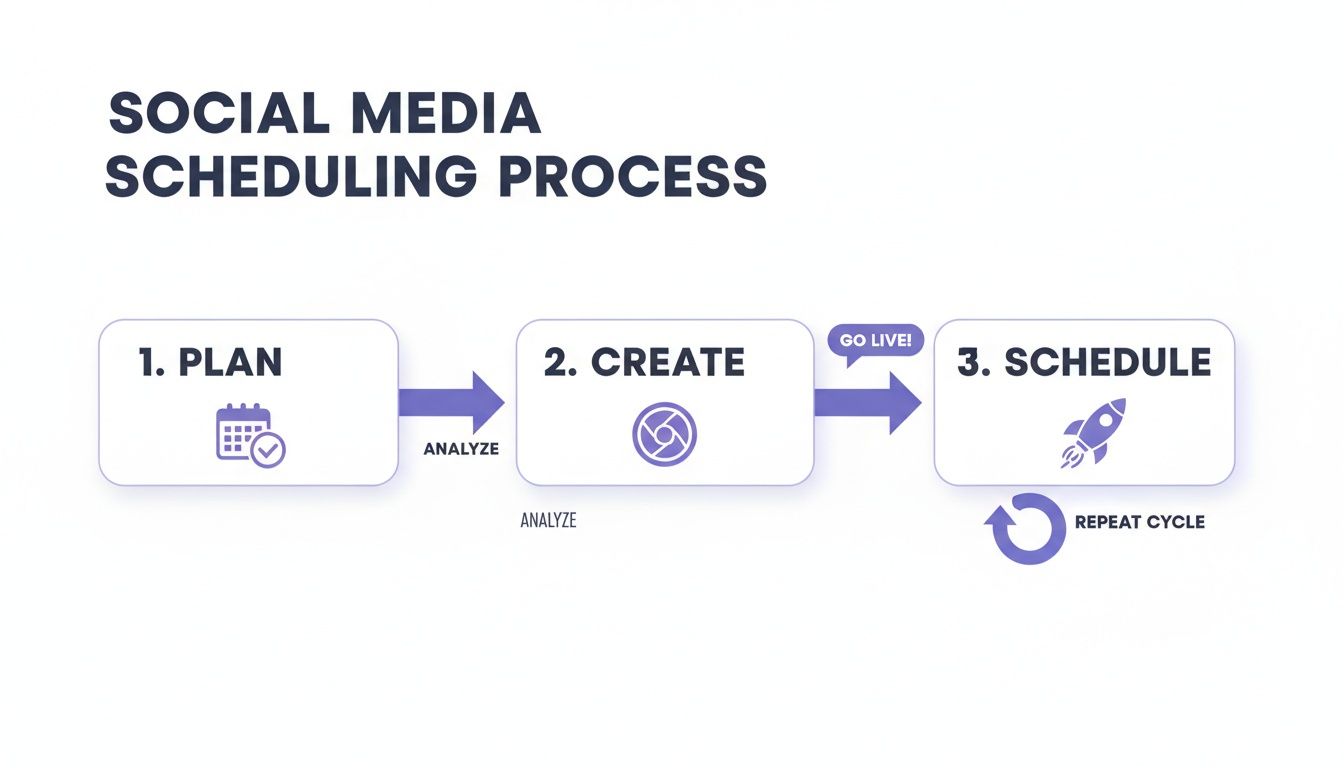
Ultimately, a social media scheduling calendar gives you a bird's-eye view of your entire strategy. It’s where your planned content, optimized timing, and platform-specific tweaks all come together.
A well-structured workflow is the secret weapon of successful creators. It eliminates the daily pressure of "what do I post today?" and replaces it with the calm confidence of a well-laid plan.
Seeing your posts laid out visually helps you spot gaps, ensure you have a balanced mix of content, and maintain a cohesive brand voice across every single one of your channels.
Mastering Content Planning and Batch Creation
The single biggest leap you'll make in social media efficiency is when you stop thinking post-by-post. It's time to move away from the daily scramble for ideas and embrace a calmer, more organized system that produces great content without the constant pressure. The goal here is a repeatable workflow that keeps your content pipeline full and your creative energy high.
A visual, Kanban-style board is an amazing way to manage this process. Think of it as a production line for your ideas. You can set up simple columns like "Raw Ideas," "Drafting," "Needs Visuals," and "Ready to Schedule." This gives you a bird's-eye view of your entire content inventory, letting you smoothly move posts from one stage to the next.
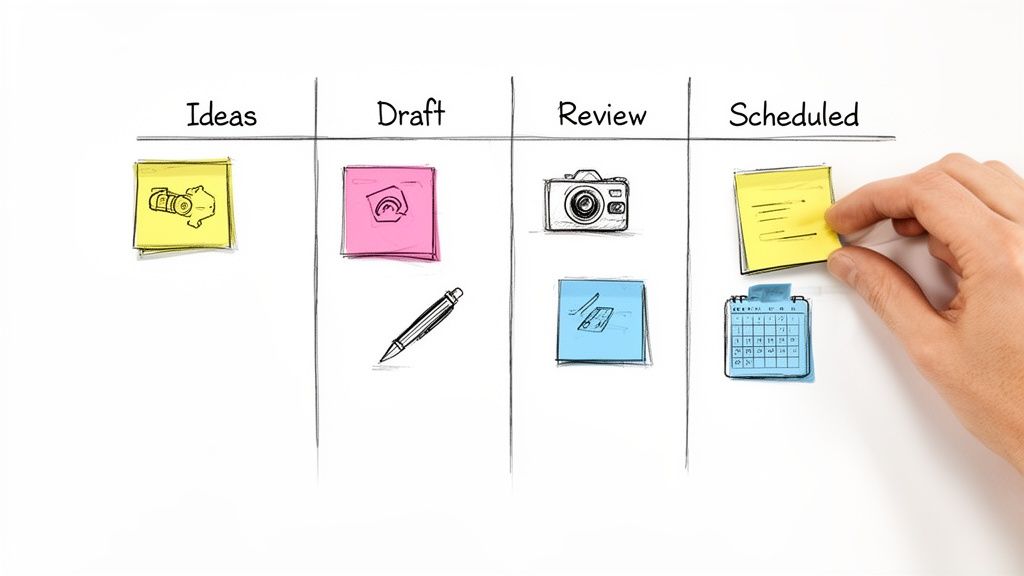
Embrace the Power of Batching
Batching—creating multiple pieces of content in a single session—is a total game-changer for anyone looking to schedule social media posts effectively. Instead of trying to do a little bit of everything each day, you dedicate focused blocks of time to specific tasks.
Here’s what that actually looks like:
Video Day: Set aside one afternoon to shoot all your short-form videos for the week. You set up your lighting once, get in the zone, and film five or six Reels or TikToks back-to-back.
Design Sprint: Spend a couple of hours designing a full week's worth of Instagram carousels or quote graphics.
Caption Writing Session: Block out 90 minutes and just write. With your content pillars in front of you, you can knock out all your captions for the upcoming week while maintaining a consistent voice.
This method doesn't just save a ton of time; it also improves your content quality by letting you get into a state of deep focus.
Build Your Content Pillar Strategy
Let's be honest, coming up with fresh ideas is often the hardest part. This is where a content pillar strategy saves the day. All you have to do is define 3-5 core topics your brand will consistently talk about. For a fitness coach, these pillars might be "Workout Tutorials," "Nutrition Tips," "Client Success Stories," and "Mindset Motivation."
Now, every single piece of content you create should tie back to one of these pillars. This simple framework ensures your feed stays cohesive and always delivers value to your target audience. You can get even more organized by learning how to use a content calendar template to map these pillars out over time.
Key Takeaway: A well-defined content pillar strategy turns a blank calendar into a guided roadmap. It makes idea generation almost effortless and keeps your brand message sharp and focused.
This strategic approach also helps dictate your posting frequency. The old "post multiple times a day" advice is dead; consistency now beats sheer volume. Recent data suggests the sweet spot for most businesses is around 3-5 feed posts, 2-4 Reels, and daily Stories each week, as Instagram's algorithm now rewards regular activity over just posting more often. You can check out more social media statistics and benchmarks to see how your own strategy stacks up.
Customizing Posts for Each Social Platform
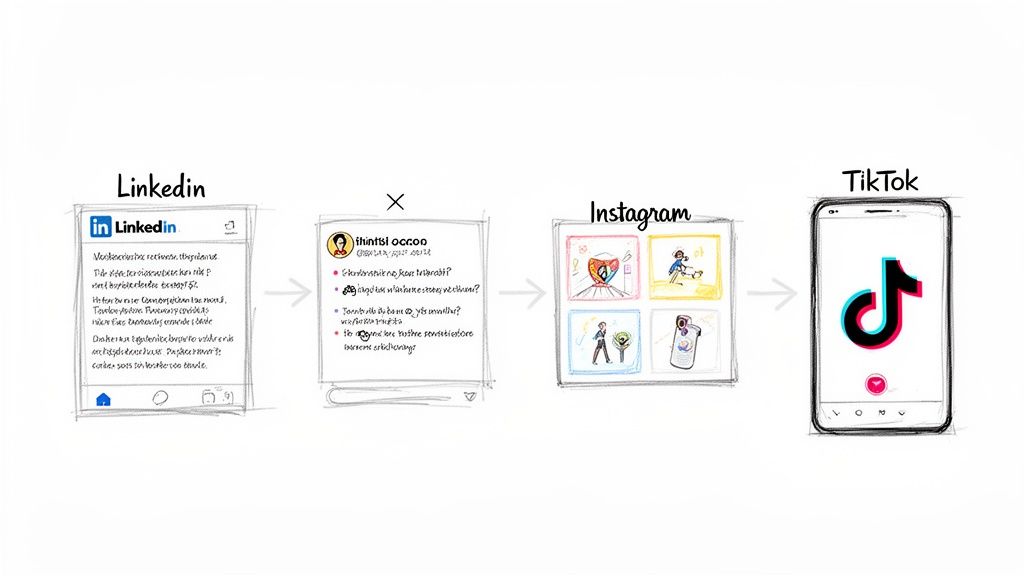
This is where so many social media strategies fall apart. After all the hard work of batching content, the single biggest mistake you can make is to copy and paste the same exact post across every single platform.
A professional case study that gets tons of engagement on LinkedIn will completely bomb on TikTok. That witty Instagram carousel? It loses all its context when you just dump it onto X (formerly Twitter). One-size-fits-all is a guaranteed recipe for crickets.
Think of your core content—that blog post, case study, or video—as a base ingredient. Your job now is to remix it into a unique dish perfectly suited for each network’s audience. This is one of the most important parts of learning how to schedule social media posts that actually get results.
Remixing Your Core Message
Let's run with an example. Say you just published a new customer case study. Instead of just blasting the link everywhere, you can intelligently adapt that single asset into multiple, platform-native formats.
For LinkedIn: Go with a professional summary. Focus on the business results and challenges, tag the client’s company page, and lean into industry hashtags like #B2Bmarketing or #SaaS.
For Instagram: Create a slick, visually-driven carousel. The first slide could be a killer quote from the client. The next few slides can break down the problem, the solution, and the results using bold graphics and minimal text.
For X (Twitter): Craft a punchy thread. Start with a hook about the amazing result, then use each tweet to walk through the story, maybe adding a screenshot or key statistic to keep it moving.
For TikTok or Reels: Film a short, high-energy video. You could use a trending sound to point to text on screen that quickly summarizes the "before" and "after" of the case study.
This remixing strategy ensures your content feels like it belongs on each platform, providing real value in the format each audience actually wants to see. If you want to dive deeper, this beginner’s guide to cross-platform social media scheduling has some great additional strategies.
Fine-Tuning the Details
Customization isn't just about the format—it's about getting the small details right. Think tone, captions, and hashtags. A formal, data-heavy caption is perfect for LinkedIn’s professional crowd, but on Instagram, you’ll want a more personal, storytelling vibe.
Hashtags need their own unique strategy, too. On LinkedIn, 3-5 highly relevant hashtags are usually best. For Instagram, you can go all out with up to 30, mixing popular, niche, and branded tags to cast a wider net.
The goal isn't to create entirely new content from scratch for every single platform. It's about intelligently adapting one great idea to speak the native language of each network. You save a ton of time while boosting your results.
This is where your scheduling tool’s preview function becomes an absolute lifesaver. Before you hit "schedule," always use the platform-specific previews to spot any formatting weirdness. Does the link preview on Facebook look right? Is your Instagram caption getting cut off by the dreaded "...more"?
This simple quality check ensures your carefully customized content shows up exactly as you planned. It prevents those awkward formatting fails and helps you get the most out of every single post you put out there.
Finding the Perfect Time to Schedule Your Posts
You’ve created amazing content—now you have to make sure people actually see it. Publishing a post when your audience is scrolling through cat memes is one thing, but posting when they’re all offline is like opening a pop-up shop in the middle of the night. You’ll completely miss them.
This is where smart scheduling stops being a simple convenience and turns into a serious growth strategy.
The art of timing isn't a guessing game anymore. It's a data-driven science, and massive studies have pinpointed specific windows that can give your engagement a huge lift. One analysis of 399 million posts found a clear sweet spot: midweek mornings.
Specifically, Tuesday through Thursday between 9 a.m. and 1 p.m. consistently deliver the highest engagement. But think of these general guidelines as your starting point. The real magic happens when you figure out the unique habits of your audience.
Digging Into Your Own Analytics
Every audience is different. A community of night-owl gamers has a completely different online schedule than a group of early-rising entrepreneurs. Your first and most important mission is to look at your own data.
Most social platforms have built-in analytics that show you exactly when your followers are most active.
Instagram Insights: Head to the "Total followers" section. You'll find a detailed breakdown of the days and even the hours your audience is online.
Facebook Page Insights: Check out the "Posts" tab. It gives you data on when your fans are online, helping you pinpoint those high-traffic periods.
Use these native tools to get a baseline. Schedule your content for these peak times for a couple of weeks, then circle back and check your performance. Did those posts get more likes, comments, and shares than usual?
Your platform's analytics give you the 'what'—the raw data on user activity. Your job is to connect that to the 'why' by testing those times and seeing what actually gets people to engage with your content.
This creates a powerful feedback loop. You're not just blindly following generic advice; you’re using it as a hypothesis and then fine-tuning your strategy based on what your own results tell you. For a complete walkthrough on this, check out our guide on finding the best times to post on social media for maximum reach.
Automate Your Timing for Peak Performance
Once you’ve identified a few promising time slots, you can let advanced scheduling tools do the heavy lifting. Instead of manually picking each and every time, you can use features designed to optimize your calendar for you.
For example, a feature like Beplan’s Quick-Fill uses data-backed insights to automatically populate your calendar with the best posting times. You just drag your drafted posts onto the calendar, and it intelligently slots them into the highest-impact windows available.
This doesn't just save you a ton of time; it ensures you're consistently hitting those high-engagement periods without having to overthink it. This automated approach turns timing into a "set it and refine it" process, freeing you up to focus on the results and make small, strategic tweaks to your schedule over time.
Analyzing Performance to Refine Your Strategy
Scheduling posts is the engine of your social media strategy, but analysis? That's the steering wheel.
Publishing content without ever looking at the data is like driving blind. Sure, you're moving, but you have no idea if you're actually heading in the right direction. This final step is what closes the loop on your entire workflow, turning raw numbers into smart decisions.
The key is to tune out the vanity metrics. Things like follower counts feel good, but they don't tell you much. Instead, zero in on the numbers that signal a real connection with your audience and prove your content is hitting the mark.
These are the metrics I live by:
Engagement Rate: This is the percentage of your audience that actually interacts with a post. It’s a direct measure of how compelling your content is.
Shares and Saves: These are gold. When someone shares or saves your post, it means your content was so valuable they wanted to keep it for later or show it to someone else. That’s a powerful sign of quality.
Link Clicks: If your post has a call-to-action, this is the ultimate test. Did your content successfully motivate your audience to take that next step?
Using a Post Quality Score
One of the most powerful ways to simplify your analysis is to lean on a Post Quality Score. Many of the more advanced schedulers, including Beplan, have this feature built right in.
Think of it as a straightforward grade, usually on a 0-100 scale, that instantly benchmarks each new post against your own performance average from the last 90 days.
Instead of digging through spreadsheets, this single score immediately tells you if a post is an underperformer, just average, or a total home run.
This dashboard from Beplan shows how a Post Quality Score can visualize performance, making it dead simple to spot your winners at a glance.
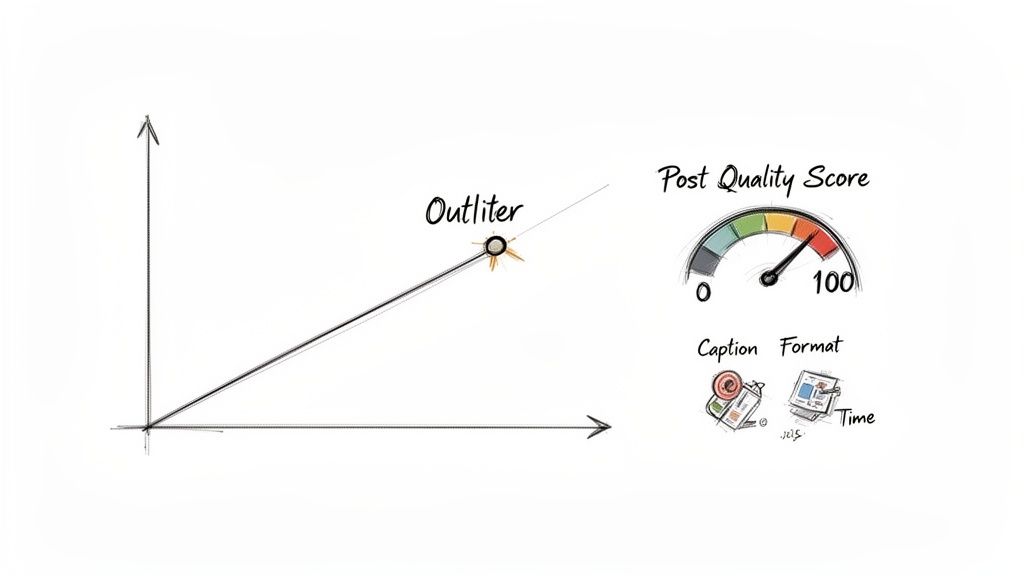
When you see a post with an unusually high score, that’s your cue to dig deeper. What was different? Was it the caption style you tried? Did you post it at a weird time of day? Was it a video instead of your usual carousel?
By connecting these data points back to your content, you can start to understand what truly resonates and, more importantly, replicate what works.
Your goal isn't just to schedule posts; it's to schedule smarter posts over time. Performance analysis is the feedback loop that makes this possible, turning guesswork into a predictable, repeatable strategy.
Common Social Media Scheduling Questions
Even with a slick workflow, you're bound to run into a few tricky questions when you get down to the nitty-gritty of scheduling. Nailing the answers to these common hurdles is often what separates a good social media strategy from a great one.
Let's dig into some of the questions I hear all the time.
How Far in Advance Should I Schedule My Posts?
This is a big one. For most brands and creators, scheduling content one to two weeks out is the sweet spot. This gives you a nice cushion, so you’re never scrambling, but it also keeps you from being so planned-out that you can't be spontaneous.
Think of it as a rolling two-week calendar. It’s the perfect balance between being prepared and staying flexible. You can batch your core content but still have the breathing room to hop on a trend or share something timely. If you try to schedule a whole month at once, you risk your feed feeling stale and disconnected from what’s actually happening now.
Is It Better to Post Manually or Use a Scheduler?
For consistency and your own sanity, using a scheduler is almost always the right move. The old myth that schedulers kill your reach is just that—a myth. Modern tools use official platform APIs, so your posts are published natively, just as if you’d done it yourself.
Manual posting is really only for those truly "in-the-moment" things—think live stories or reacting to breaking news in your industry. For everything else, a scheduler is your best friend. It makes sure your content goes live at the perfect time, every single time, without you being chained to your phone.
Using a scheduling tool is what lets you batch-create, get approvals from your team or clients, and keep a steady drumbeat of content going. These are the building blocks of a professional social strategy.
How Do I Find the Best Times to Post?
General best practices, like posting on weekday mornings, are a fine starting point. But they’re just that—a start. The real magic is in your own data.
Check your native analytics. Both Instagram and Facebook offer detailed insights showing the exact days and hours your followers are most active. This is gold.
Test and measure. Use that data to form a hypothesis. Schedule your posts for those peak times for a couple of weeks and watch what happens.
Refine your schedule. Look beyond just reach. Which time slots got you the most likes, comments, and shares? That’s your engagement sweet spot. Adjust your calendar based on what performs best.
This creates a powerful feedback loop where your timing gets sharper and sharper, all based on the real behavior of your unique audience.
Can I Just Post the Same Thing Everywhere?
Please don't. While you can absolutely reuse the core idea or asset, a straight copy-paste job across all platforms is a recipe for low engagement. Each network has its own vibe, its own formats, and its own audience expectations.
A formal, text-heavy update that crushes it on LinkedIn will feel totally out of place on a visual-first platform like Instagram. The key is to "remix" your content, not just repost it.
Take a key stat from a blog post and turn it into a bold, eye-catching graphic for Instagram.
Pull out a great customer quote and format it as a clean text post for LinkedIn.
Break down a multi-point carousel into a quick, punchy thread for X (formerly Twitter).
This simple shift shows you actually get each platform. It respects the audience you're trying to reach and massively boosts your odds of them actually paying attention.
Ready to stop the daily scramble and build a smarter, more efficient social media workflow? Beplan gives you the tools to plan, customize, and schedule your content with confidence. Start your free trial today and see how easy it can be.
Article created using Outrank
Related articles
Our platform is designed to empower businesses of all sizes to work smarter and achieve their goals with confidence.